
Baby Monitor Buying Guide - Video, Audio or Smart — Honestly?

The anxiety of not being able to hear your baby is real. But a $500 smart monitor isn't always the answer — and we'll tell you exactly when it is, and when it isn't.
You've got 14 tabs open. You've watched the YouTube reviews. You've asked the Facebook mums group. And somehow — after all that research — you're more confused than when you started.
Audio? Video? WiFi? Breathing sensor? Split-screen? Two-way talk? Movement mat? Night vision? The baby monitor market has added so many features that what was once a simple radio transmitter now requires a small degree in consumer electronics to navigate.
Here's the truth: the right baby monitor for you depends on three things — your home, your anxiety level, and your budget. Not which one has the most stars on Amazon. This guide walks you through exactly that.
- 3 Monitor types to understand
- $50–$600 Typical price range
- 1 Right answer for your situation
Before we go any further — a question worth asking: do you actually need a baby monitor at all? If you live in a small apartment or open-plan home and your baby's room is directly adjacent to yours, a monitor may genuinely be unnecessary. Your ears are perfectly capable of hearing a newborn cry through a wall at 2am.
That said, for most Singapore families — particularly those in larger homes, on multiple levels, or planning to spend time in the backyard while baby sleeps — a monitor provides real peace of mind. And peace of mind in the early months is worth investing in.
Let's break down your three options clearly.
The three types
Audio Monitor
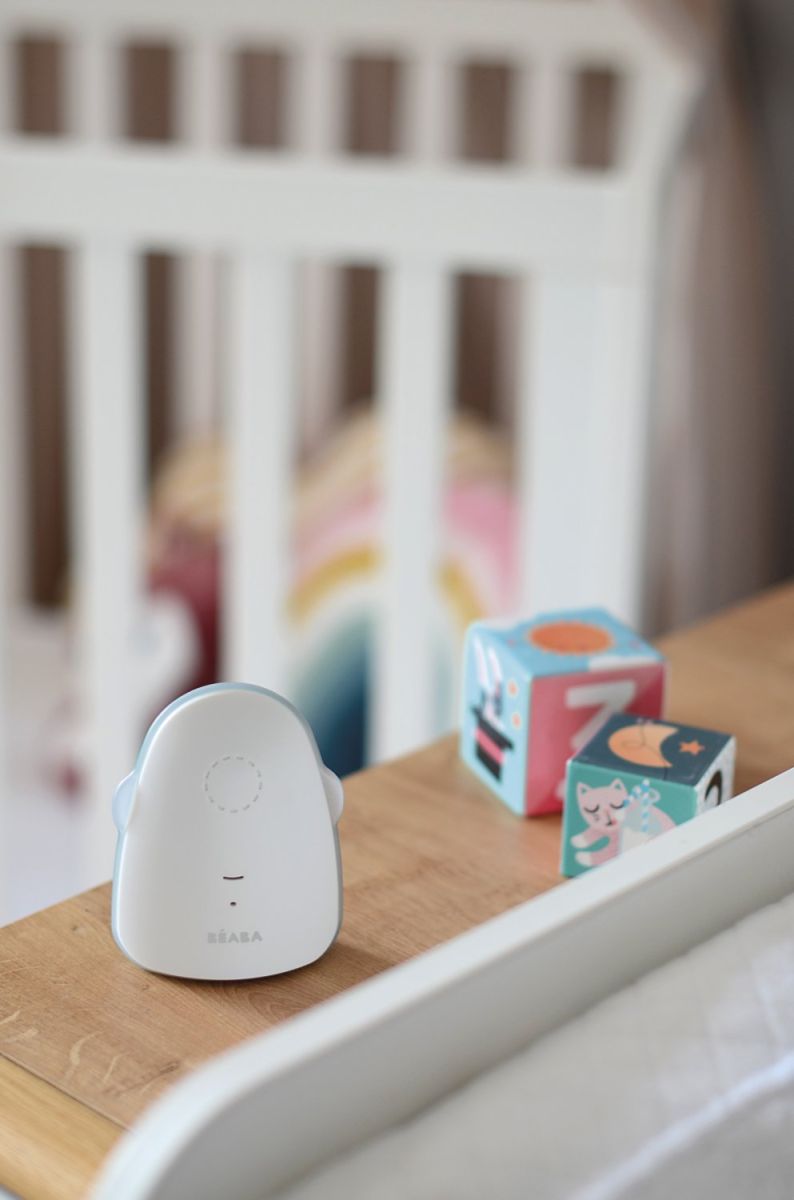
Approx. $50 – $130
The original baby monitor — a transmitter in the nursery, a receiver you carry. Audio monitors pick up sound and broadcast it to you in real time. That's it. No screen, no app, no subscription, no WiFi vulnerability. Just sound.
Modern audio monitors are significantly better than the static-prone devices of the 1990s. DECT technology (the same used in cordless phones) means crystal-clear audio with no interference from other wireless devices in your home. Battery life is strong, range is typically 300–600m, and there's nothing to set up, troubleshoot, or update.
What works:
- Simplest setup — plug in and go
- No WiFi, no app, no account
- Long battery life on receiver
- No monthly fees
- DECT models have zero interference
Limitations:
- No visual confirmation
- Can't check in quietly without waking baby
- No temperature display (some exceptions)
- No data logging or history
Best for: Parents in smaller homes or apartments, parents who want simplicity over features, and those on a tighter budget who want reliability over bells and whistles.
Recommended Product: Beaba Simply Zen Audio Monitor
Video Monitor
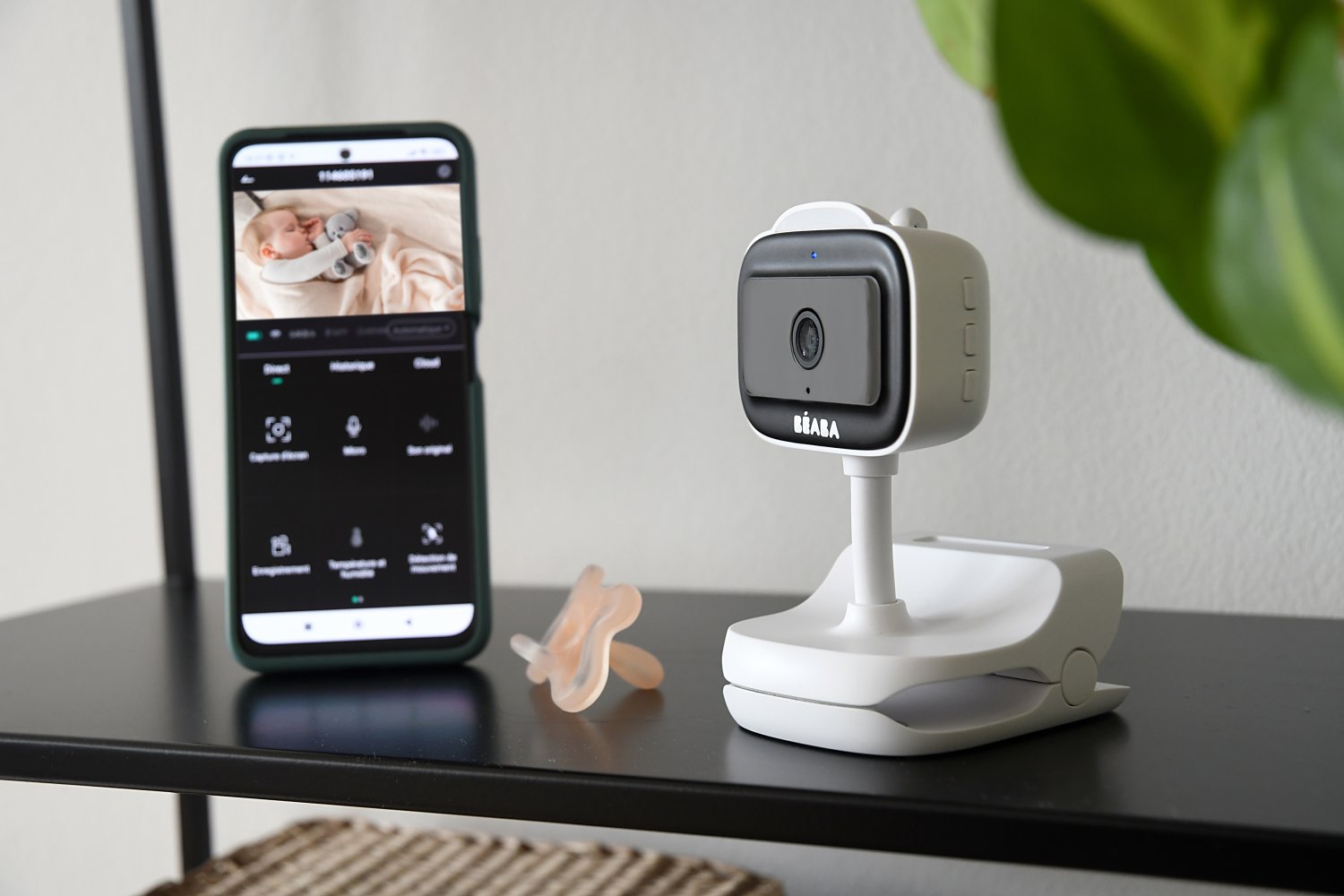
Approx. $130 – $350
A video monitor adds a camera — typically with infrared night vision — to the audio feed, transmitted to a handheld screen or your phone. This is the category most first-time parents end up in, and for good reason: being able to visually check on your baby without entering the room is genuinely useful.
There are two sub-types: dedicated screen monitors (the camera sends directly to a handheld unit, no internet required) and WiFi camera monitors (footage streams to your phone via an app). The dedicated screen version is more secure and doesn't depend on your internet connection. The WiFi version is more convenient — you can check in from anywhere.
What works:
- See baby without entering the room
- Night vision on most models
- Usually includes room temperature display
- Two-way audio on most models
- Pan/tilt on higher-end models
Limitations:
- WiFi models have security considerations
- Screen battery life varies widely
- More to set up and troubleshoot
- Higher cost than audio
Best for: Most first-time parents. Particularly valuable for those who find themselves wanting to check on baby frequently — seeing that they're settled is often more reassuring than just hearing silence.
Recommended Product: Beaba Zen Connect Video Baby Monitor
Smart Monitor
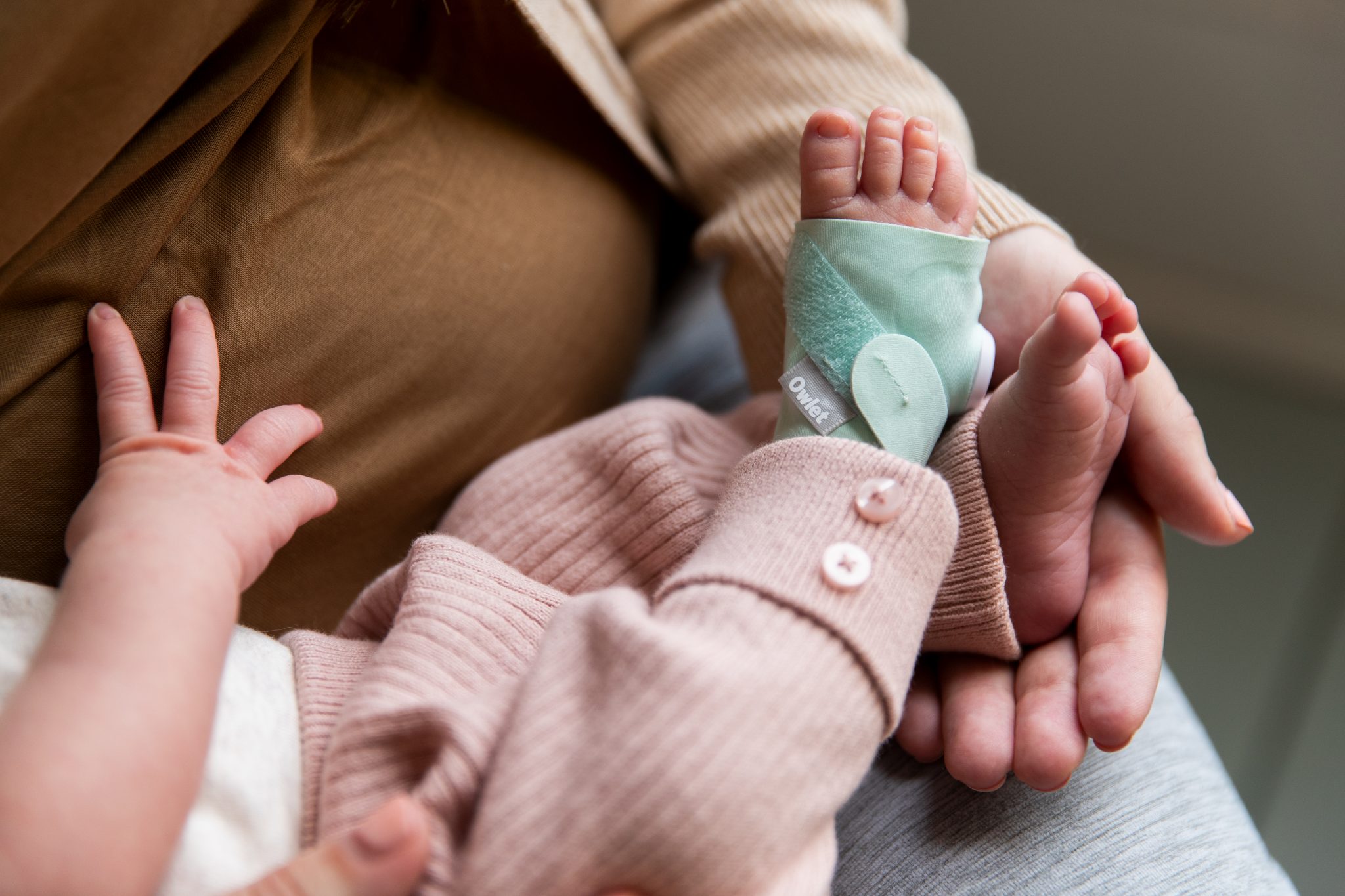
Approx. $350 – $600+
Smart monitors add data tracking to the camera: sleep analytics, movement detection, breathing pattern monitoring (some via wearable sock, some via camera AI), room air quality, humidity, and light levels. The premium tier — brands like Nanit and Owlet — provides a detailed overnight report and flags anomalies in your baby's movement or breathing patterns.
These are genuinely impressive pieces of technology. They're also the most misunderstood category — partly because they're sometimes marketed in ways that blur the line between a monitoring device and a medical one. Smart monitors are not medical devices and are not approved to diagnose or prevent SIDS. Understanding this distinction is important before making this purchase.
What works:
- Sleep tracking and pattern data
- Movement and breathing alerts
- Air quality and environment data
- Detailed overnight reports
- Grows with your child (toddler mode)
Limitations:
- Significant upfront cost
- Some require ongoing subscriptions
- Not a medical device — cannot prevent SIDS
- Data can increase anxiety if over-interpreted
- Requires reliable home WiFi
Best for: Parents of premature babies or those with specific medical concerns (always discuss with your paediatrician first), and parents who find sleep data genuinely reassuring rather than anxiety-inducing.
Recommended Product: Beaba Zen Premium Video Baby Monitor
The honest take on smart monitors
Smart monitors are exceptional products. But they're often purchased by anxious parents hoping that more data will equal more reassurance — and for some parents, the opposite happens. If you're someone who checks the app at 2am and spends the next hour interpreting a breathing rate graph, a smart monitor may increase your anxiety rather than reduce it.
The families who benefit most are those who use the data calmly — reviewing overnight reports in the morning, tracking trends over weeks, and treating it as interesting information rather than an emergency feed. If that sounds like you, it's a worthwhile investment. If you already find yourself over-monitoring, a simple video monitor may serve you better.
Always discuss breathing monitoring devices with your GP or paediatrician before purchase, particularly if your interest is driven by SIDS concern — they can give you personalised guidance on what's appropriate for your baby.
"I bought the most expensive smart monitor because I thought it would help me sleep. I spent the first three weeks checking the app every 45 minutes. A friend gave me her old video monitor and I slept better immediately."
Natalie, mum of one, Melbourne
Find your match
Which monitor is right for you?
Answer these three questions to find your best fit.
1. How large is your home?
- Small apartment / open plan: You may not need a monitor at all — or a basic audio model covers you
- Standard house, multiple rooms: A video monitor gives you the visual check-in without entering the room
- Large home or multiple levels: Video with strong WiFi range, or a dedicated screen model with long transmission range
2. How do you handle uncertainty?
- I'm fairly relaxed: Audio or basic video is plenty — you don't need data to feel confident
- I want reassurance, not data: A video monitor lets you see baby is settled without the complexity of sleep tracking
- Data genuinely calms me: A smart monitor's overnight reports could work well — if you can review them calmly
3. What's your budget?
- Under $150: Audio (DECT) or entry-level video — both excellent for the price
- $150 – $300: The sweet spot — mid-range video monitors with dedicated screen, night vision, two-way audio
- $300+: Premium video or entry-level smart monitors — consider whether the extra features add real value for you
Matching monitor to your anxiety level
Be honest with yourself here — it matters more than the spec sheet.
Low - "I trust my instincts and am fairly calm about baby stuff"
An audio monitor or basic video model is genuinely all you need. You'll use it, find it useful, and not feel compelled to over-check. Adding smart features may introduce complexity without benefit.
→ Audio or entry video
Medium - "I want to be able to check in, but I won't obsess over data"
A mid-range video monitor with dedicated screen (non-WiFi) is ideal. You get visual reassurance without the compulsive app-checking that a WiFi or smart model can trigger. The dedicated screen stays in your room — you glance, you see baby is fine, you go back to sleep.
→ Dedicated screen video
High - "I know I'll check constantly — I want as much information as possible"
Pause before buying a smart monitor. More data doesn't always mean more calm — and the research suggests that for high-anxiety parents, sleep tracking can amplify worry. Consider starting with a good video monitor, and speak with your maternal health nurse about anxiety support alongside the monitor decision.
→ Video first, reassess at 3 months
Feature comparison
| Feature | Audio | Video | Smart |
|---|---|---|---|
| Sound monitoring | ✓ | ✓ | ✓ |
| Night vision camera | ✕ | ✓ | ✓ |
| Room temperature display | Some | ✓ | ✓ |
| Two-way talk | ✕ | ✓ | ✓ |
| Works without WiFi | ✓ | Some | ✕ |
| Breathing / movement tracking | ✕ | ✕ | ✓ |
| Sleep analytics / reports | ✕ | ✕ | ✓ |
| Air quality monitoring | ✕ | ✕ | Premium only |
| Ongoing subscription required | No | No | Some models |
| Typical price range | $50–$130 | $130–$350 | $350–$600+ |
Features you probably don't need
- Split-screen multi-camera display— useful for twins or multiple children; unnecessary for most first-time parents with a single baby
- Lullaby / projection features built into the monitor— usually underpowered. A separate white noise machine does a far better job
- Ultra-wide angle pan/tilt— helpful once your baby is mobile (6+ months), but unnecessary for a newborn who stays where you put them
- Colour night vision— black and white infrared is perfectly sufficient to see your baby is fine. Colour night vision adds cost without meaningful benefit for most parents
- Built-in growth tracker or feeding logger— these app features sound useful but rarely get used past the first few weeks when dedicated apps do it better
Frequently asked questions
Are WiFi baby monitors safe from hacking?
WiFi monitors can be vulnerable if not properly secured — there are documented cases of cameras being accessed remotely. To minimise risk: always change the default password, keep firmware updated, use a strong home WiFi password (WPA3 if available), and consider a monitor that operates on a closed, non-internet-connected frequency (DECT or FHSS) if security is a concern. Dedicated screen monitors that don't use your home network are inherently more secure.
Do I need a breathing monitor if I follow safe sleep guidelines?
For healthy, full-term babies whose parents follow Red Nose safe sleep guidelines — back to sleep, firm flat surface, no loose bedding, room-sharing without bed-sharing — breathing monitoring devices are not medically recommended and are not proven to reduce SIDS risk. The guidelines do not recommend them for healthy term infants. If your baby has a specific medical condition or was born prematurely, discuss with your paediatrician before purchasing.
What range do I need for my home?
Most monitors advertise a range of 300–600m in open air — but in-home range through walls and floors is significantly lower, typically 30–100m depending on construction. For most houses, any monitor rated above 200m open-air range will perform adequately. If you have a large home, concrete construction, or multiple floors, look for models with FHSS (frequency hopping) or DECT technology which maintain clearer signal through obstacles.
When should I stop using a baby monitor?
There's no set age, and it's entirely a personal decision. Many parents stop around 2 years when their child is verbal and can call out if they need help. Others continue longer, particularly in larger homes or for children who are unwell or have additional needs. There's no developmental harm in continued use, and equally no developmental benefit to stopping — do what works for your family and your home.
Is it worth buying secondhand?
Audio and dedicated screen video monitors are reasonable secondhand purchases — check that the battery holds charge and that the range is still reliable. WiFi and smart monitors are trickier: firmware may not be updatable on older models, accounts may have privacy implications, and the technology evolves quickly enough that a 2–3 year old smart monitor may be missing significant improvements. For smart monitors in particular, buying new is generally the better call.
"We have a tiny house. My husband reminded me we could literally hear the baby breathe through the walls. We bought the $129 Beaba audio monitor and honestly never needed anything else."
Rachel, mum of two, Hobart
The bottom line
The best baby monitor for you is the one that gives you calm, not anxiety. That might be a $129 audio monitor, a $200 dedicated screen video unit, or a $500 smart monitor with overnight sleep reports. The price doesn't determine the quality of the decision — the fit to your home, temperament and situation does.
What we'd say to every first-time mum standing in front of a wall of monitors (or drowning in browser tabs): you don't need to buy the most expensive one to be a good parent. You need the one that lets you check in, feel reassured, and go back to sleep. That's it. That's the whole job description.
If you're still unsure, our team is available to walk through your specific home setup and shortlist the right options — no pressure, no upselling, just a straight answer.
Shop Baby Monitors at Baby Central Singapore
Every monitor we stock is assessed for safety standards, real-world performance, and genuine value. Browse the full range or chat with our team for a personalised recommendation.